NFC E-Bike Key Cards: Access & Setup Buying Guide
An NFC e-bike key card is an electronic access credential for a compatible bike. Before buying, confirm how the supplied card is registered, what it unlocks and which approved backup method is available if you lose it. A phone with NFC does not automatically replace the bike's card.
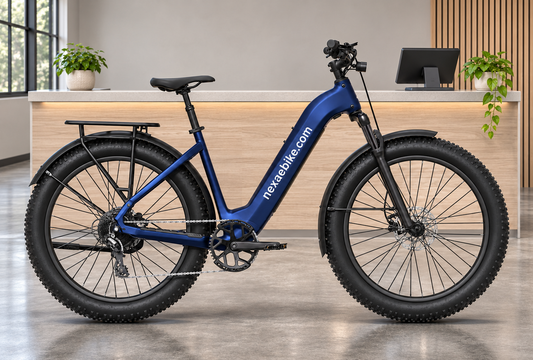
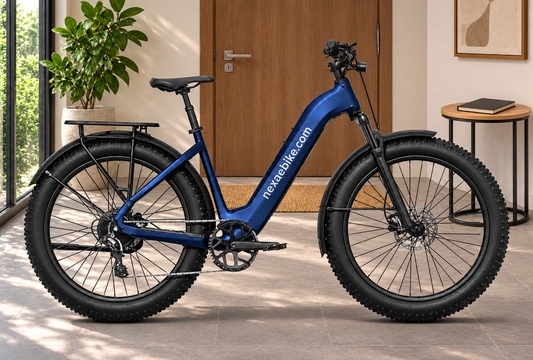
This guide uses the current NexaEbike 750W, 730Wh step-through commuter model, referenced as Velotric Discover 3. The buying decision is about your everyday starting routine: leaving home, returning from work and keeping access manageable when something is misplaced.

What the Discover 3 documentation actually confirms
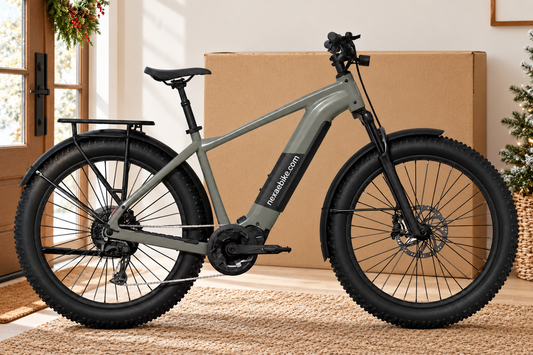
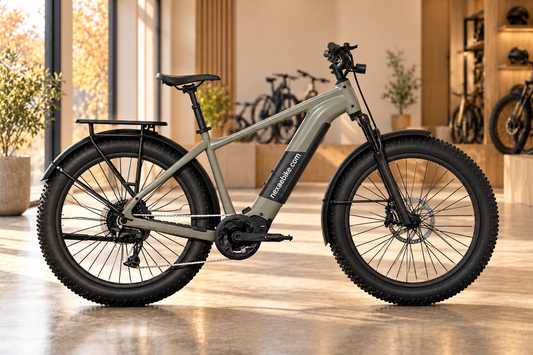
The listed commuter e-bike includes NFC card unlock alongside an 80mm air suspension fork, suspension seatpost, torque and cadence sensing, Shimano eight-speed gears and hydraulic disc brakes. It is offered in two sizes and four colors; choose fit before treating an access feature as the deciding factor.
The Discover 3 owner's manual, printed pages 75–76, describes an NFC Card settings area with card binding, an enable/disable setting and management of a previously bound card. Its successful-binding message advises connecting the app in case the card is lost. These are model-specific instructions, not a promise that every NFC accessory will work.
For the exact controls and confirmation messages, use the manual supplied with your bike and check its firmware. Before departure, have the supported startup and backup process demonstrated with your own bike and account.
NFC card, app, battery key and physical lock: different jobs
| Item | What to establish | Do not assume |
|---|---|---|
| NFC key card | Which supplied or approved card is registered to the bike's access system | Any NFC card, phone or watch is interchangeable |
| Bike app | Your account, supported pairing and the functions available on this model | Every feature shown in a general app guide applies to every bike |
| Battery key, where supplied | Which mechanical lock it operates and how replacement is handled | Electronic startup access also releases the battery |
| Separate physical lock | How the frame is secured to an appropriate fixed anchor | An electronic access credential attaches the bicycle to a stand |
Keeping these roles separate makes a practical packing list: the credential needed to start, any key needed for your battery routine, and the lock required at your destination. Our e-bike tracking and locks guide covers location systems and parking security in more detail.

Set up the app before you need a backup
Velotric's app manual, updated July 6, 2026, describes account creation followed by pairing through the bike display's QR code. It also explains settings, firmware updates and account unpairing, while noting that available functions vary by bike.
That documentation supports preparing your account and pairing in advance. It does not establish that your particular phone can emulate the NFC card, that an app will unlock the bike under every connection condition, or that another person's account automatically has access.
Ask for the approved lost-card procedure while you still have the working card. Record the relevant support link and keep your proof of purchase accessible. If an alternate method depends on your phone, confirm its power, connection and account requirements instead of discovering them during a commute.
Three everyday situations worth planning for
You normally carry a wallet
A dedicated card may fit your existing routine. Check where you will keep it and whether you can present it reliably at the specified reader position. Test the normal process while stationary, following the supplied instructions; do not rely on reading through a wallet or case unless that works as documented for your setup.
You prefer to leave your phone at home
Ask which startup and recovery functions remain available in that situation. Have the seller explain the exact card-based process and any setup prerequisites. The phrase “NFC unlock” alone does not answer every question about phone dependence.
Two household members will use the bike
Confirm whether additional approved cards can be supplied and registered, how many credentials the exact system supports and which account controls them. Do not infer an included spare or unlimited users from a menu showing card slots. Also check whether the selected frame size and saddle adjustment suit both riders.

A useful purchase and handover checklist
- Match the model: compare the supplied bike, display and manual with the listing.
- Count the supplied items: confirm cards and mechanical keys individually; ask about approved replacements and current costs.
- Verify normal access: observe the expected confirmation on the actual bike.
- Prepare your account: complete supported pairing and confirm that you can sign in.
- Explain the exception: ask what to do if a card is lost, a phone is unavailable or ownership changes.
- Plan the destination: choose a suitable physical lock and parking location separately.
For a previously registered bike, resolve account ownership and credential management through the manufacturer's documented process before depending on its connected functions. A successful card tap is only one part of an orderly handover.
Frequently asked questions
Can I use my iPhone or Android phone instead of the NFC card?
Do not assume compatibility from the phone's NFC capability. Confirm explicit support for your phone, bike and software version. The references used here do not establish phone-as-card compatibility.
Is a spare NFC card included?
Confirm the contents of your specific order. A card-management menu does not establish how many cards are supplied or what replacements cost.
Does NFC unlock replace a bike lock?
An electronic access credential does not physically attach the frame to a fixed object. Plan your parking lock separately.
What should I do if I lose the card?
Use the manufacturer's approved recovery process for your exact model and account. The Discover 3 manual advises connecting the app when binding the card; establish the backup arrangements before relying on them.
View the 730Wh NFC-equipped commuter e-bike or compare the commuter collection. If ride comfort is also on your shortlist, see our air-suspension buying guide.
Editorial note: Product and manufacturer references checked October 29, 2026. This is a buying guide, not independent access-system or theft-resistance testing. Images are AI scene illustrations based on the listed product, with branding edited to nexaebike.com. Actual supplied branding and configuration are shown on the product page.
Tags:
Previous
E-Bike Walk Assist & Anti-Rollback: Buying Guide
Next
E-Bike Tire Pressure: Pump & Maintenance Buying Guide
Related articles

E-Bike Maintenance Records: Build a Service Log
Nov 03 2026

E-Bike Price Tracking: Compare the Same Variant
Nov 02 2026